By CubixKraft Team
The Ultimate Guide to AI Agents for Business Leaders (2026)
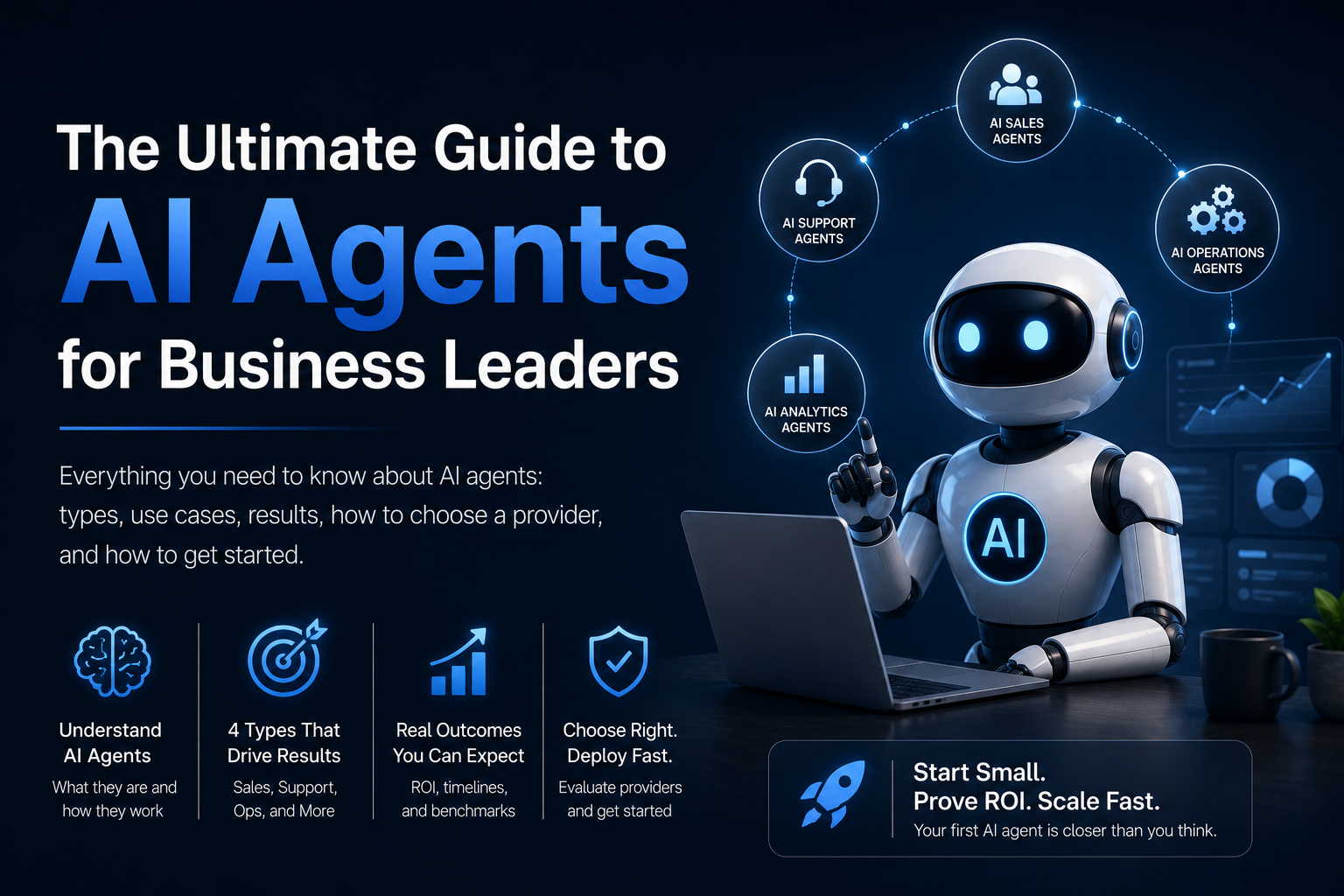
Everything a business leader needs to know about AI agents: what they are, how they work, the four types that matter for business, what results to expect, how to evaluate providers, and how to get your first agent deployed without wasting months on the wrong approach.
What This Guide Is — and Who It's For
This is the guide I wish existed when businesses first started asking us about AI agents. Not a vendor pitch. Not a glossary of technical terms. A clear, honest explanation of what AI agents actually are, what they can and can't do for your business, what results are realistic, and how to move from "we should look at this" to "our first agent is live and delivering ROI."
If you're a founder, operations lead, or business owner who keeps hearing about AI agents but hasn't made a decision yet — this is for you. If you've already started evaluating providers, the section on how to choose an AI agent provider will save you from the most expensive mistakes.
By the end of this guide you'll be able to:
- Explain what an AI agent is and how it differs from a chatbot or RPA
- Identify which of the four agent types applies to your highest-priority workflow
- Know what results to expect — and what timelines are realistic
- Ask the right questions when evaluating any AI agent provider
- Understand how to start small, prove ROI, and scale
What Is an AI Agent?
An AI agent is an autonomous software system that perceives its environment, reasons using an AI model, takes actions, and learns from outcomes — without requiring a human at each step.
That definition packs a lot in. Let's unpack the four words that matter most: autonomous, perceives, reasons, and acts.
- Autonomous: It runs without a human triggering each action. You define the goal; the agent pursues it.
- Perceives: It can read emails, parse documents, understand voice, query databases, and monitor dashboards — whatever inputs are relevant to its task.
- Reasons: It uses a large language model to understand context, interpret ambiguity, and decide what to do next.
- Acts: It doesn't just generate text — it takes real actions in real systems: sending emails, updating CRM records, booking calendar slots, calling APIs, triggering workflows.
If the system can't take an action in an external system without a human approving each step, it's not an AI agent — it's a chatbot with a nice interface. The defining capability of an AI agent is action, not just answer generation.
AI Agents vs Chatbots vs RPA
These three are constantly confused. Here's the direct comparison:
- Responds to messages in a chat window
- Follows scripts or retrieves from FAQ library
- Lives in one channel
- Has no ability to take action
- No memory between sessions
- Breaks on unexpected questions
- Operates across your entire tech stack
- Reasons and adapts to novel situations
- Works across email, voice, API, CRM, databases
- Takes actions: sends messages, updates records, books meetings
- Maintains context and memory
- Handles ambiguity and makes decisions
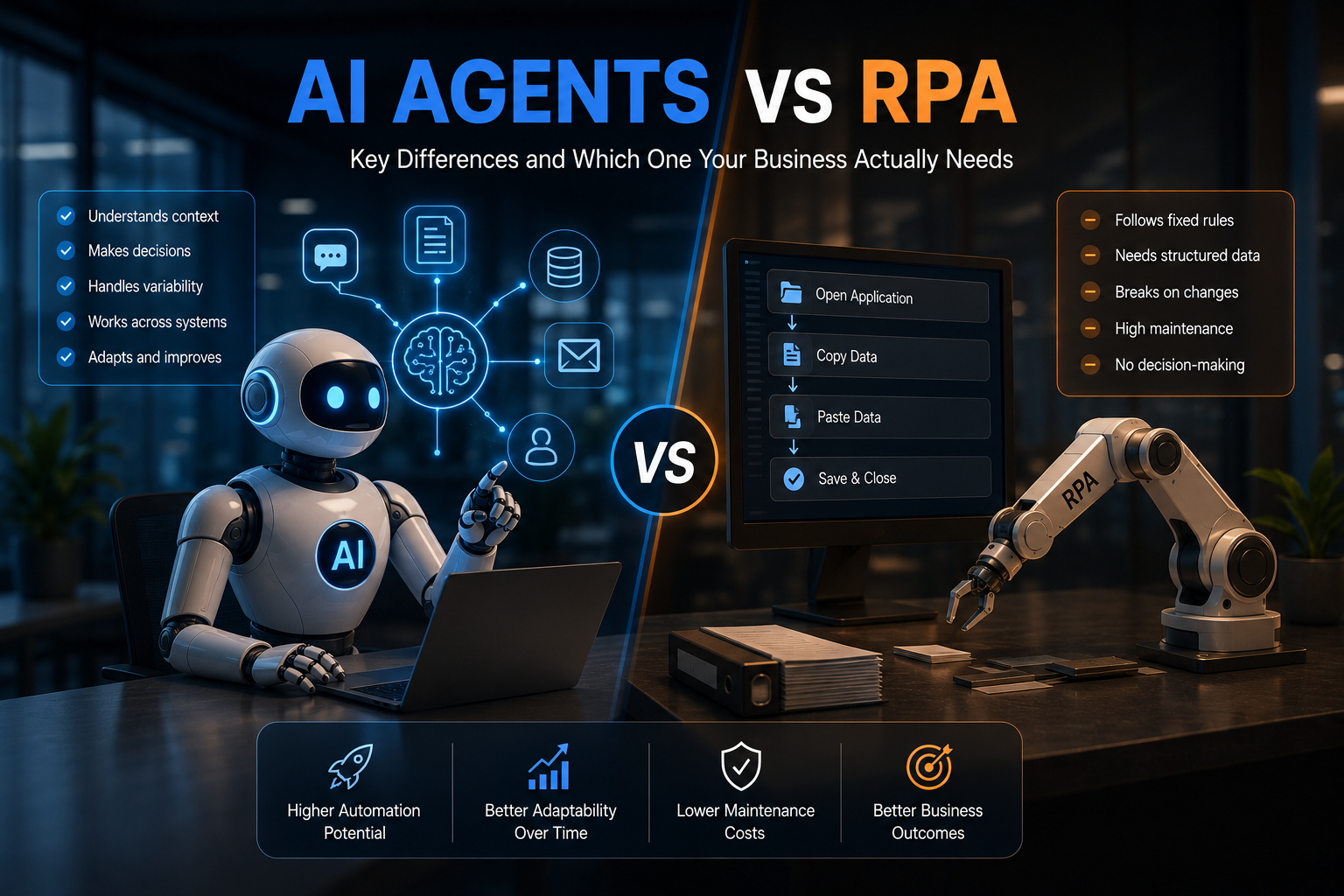
RPA (Robotic Process Automation) sits in a different category — it automates structured, rule-based tasks by mimicking clicks on software interfaces. RPA breaks when inputs change or interfaces update. AI agents handle variability because they understand intent, not just patterns. For a full breakdown, see our guide on AI Agents vs RPA.
How AI Agents Actually Work
Every AI agent — regardless of type — operates on the same core loop:
This loop runs continuously. A well-designed AI agent doesn't wait to be asked — it monitors for trigger conditions (a new inbound lead, an anomalous metric, an incoming support ticket) and acts automatically.
The intelligence comes from the LLM at step 2. Unlike a rule-based system that fails the moment it encounters an unexpected input, the LLM can reason about ambiguous situations, apply context from previous interactions, and make decisions that approximate good human judgment — at scale and without fatigue.
For tasks that genuinely require human judgment (high-value decisions, emotionally complex conversations, edge cases outside the agent's training), the agent escalates to a human with full context — a summary of what it understood, what actions it took, and what it recommends. The human makes the final call without having to start from scratch.
The Four Types of Business AI Agents
In practice, almost every business AI agent deployment falls into one of four categories. These map directly to the highest-value use cases in most organisations.
1. AI Sales Agents
AI sales agents handle the top of the funnel: qualifying inbound leads, running outreach sequences, following up with prospects, and booking demos with qualified leads for your human sales team. They're active 24/7, respond to new leads in under 60 seconds, and handle unlimited volume without degrading quality.
Best for: Businesses receiving more inbound leads than their team can qualify manually; businesses where slow lead response is losing deals; businesses with a high volume of unqualified enquiries consuming SDR time.
Typical outcomes: 3–5× increase in qualified lead volume, 85%+ reduction in lead response time, 40–60% reduction in cost-per-qualified-lead.
2. AI Support Agents
AI support agents resolve customer issues autonomously — reading tickets, understanding the problem, looking up order status or account data in your systems, taking the appropriate action (processing a return, updating an account, sending a replacement), and closing the ticket. They integrate with Zendesk, Freshdesk, Intercom, and WhatsApp Business.
Best for: Businesses with high support volume where 60–80% of tickets are routine (order status, returns, password resets, billing queries); businesses where after-hours ticket backlog is impacting satisfaction.
Typical outcomes: 65–80% autonomous ticket resolution, 60–70% reduction in cost-per-ticket, sub-60-second first response time 24/7.
3. AI Operations Agents
AI operations agents handle internal workflows: monitoring systems, processing documents, routing approvals, coordinating between teams, generating reports, and managing exceptions. They're the agents that keep your back office running without the overhead of manual coordination.
Best for: Operations teams spending significant hours per week on repetitive coordination, data entry, and report generation; businesses where human error in manual processes is a real cost.
Typical outcomes: 40–60% reduction in manual process hours, 95%+ accuracy improvement on data-intensive tasks, 24/7 monitoring with immediate exception alerts.
4. AI Voice Agents
AI voice agents handle phone-based interactions — inbound call handling, appointment booking, lead qualification via phone, and outbound reminder calls. They sound natural, understand Indian-accented English and Indian languages, and handle multiple simultaneous calls without hold time.
Best for: Healthcare providers with high appointment booking volume; real estate agencies qualifying leads via phone; businesses where customers prefer calling over messaging.
Typical outcomes: 70–80% of calls handled autonomously, elimination of hold time, 60%+ reduction in missed appointments (with proactive reminder calls).
What Results Are Realistic? Honest Numbers
The AI industry is full of inflated claims. Here's what well-designed, properly scoped AI agent deployments actually deliver — based on what we see across deployments in sales, support, operations, and voice contexts.
The single biggest variable in AI agent ROI is scope. An agent scoped narrowly to a well-defined task (e.g., processing standard return requests) will hit 80%+ automation rates. An agent scoped to handle every possible customer query, including complex complaints and edge cases, will hit 50–60%. Start narrow, prove results, then expand — don't try to automate everything on day one.
What AI Agents Can't Do (Yet)
Honest assessment matters more than hype. AI agents have real limitations you should build around, not pretend don't exist.
- Handle genuinely novel edge cases: AI agents are trained on patterns. A situation they've never encountered — an unusual legal dispute, a highly complex technical complaint — should be escalated to a human. Always design escalation paths.
- Replace human relationship management: For high-value B2B relationships, clients want to speak to a person. AI agents work on the volume layer; humans focus on the relationship layer.
- Operate without monitoring: All production AI agents need monitoring dashboards, error rate tracking, and regular review. They're not set-and-forget — they're set-and-supervise.
- Guarantee perfect accuracy: LLMs make mistakes. Design for 95–98% accuracy, not 100%, and put quality checks in place for high-stakes decisions.
- Work without good data: An AI support agent that doesn't have access to your order management system can't look up order status. Integration quality directly determines agent capability.
Calculating the ROI of AI Agents
The ROI of an AI agent comes from three sources. Calculate all three for the most accurate picture.
1. Direct labour cost reduction
Estimate the hours per month currently spent on the task the agent will handle. Multiply by the fully-loaded cost of the person doing it. That's your direct saving. Example: 200 support tickets/day × 8 minutes average handle time = 26 hours/day. At ₹300/hour fully-loaded, that's ₹7,800/day or ~₹2.3 lakh/month in direct labour cost that the agent replaces (at 80% automation rate).
2. Revenue impact
For sales agents: faster lead response means higher conversion rates. For support agents: faster resolution means higher CSAT and lower churn. These are often larger than the direct labour saving but harder to attribute precisely. Use conservative estimates.
3. Quality improvement
Consistent, accurate responses. Zero off-days, zero sick days, zero training ramp. For businesses where human error has measurable consequences (incorrect order processing, missed follow-ups, data entry mistakes), this adds measurable value.
Use our ROI Calculator to model your specific numbers before you commit to any deployment.
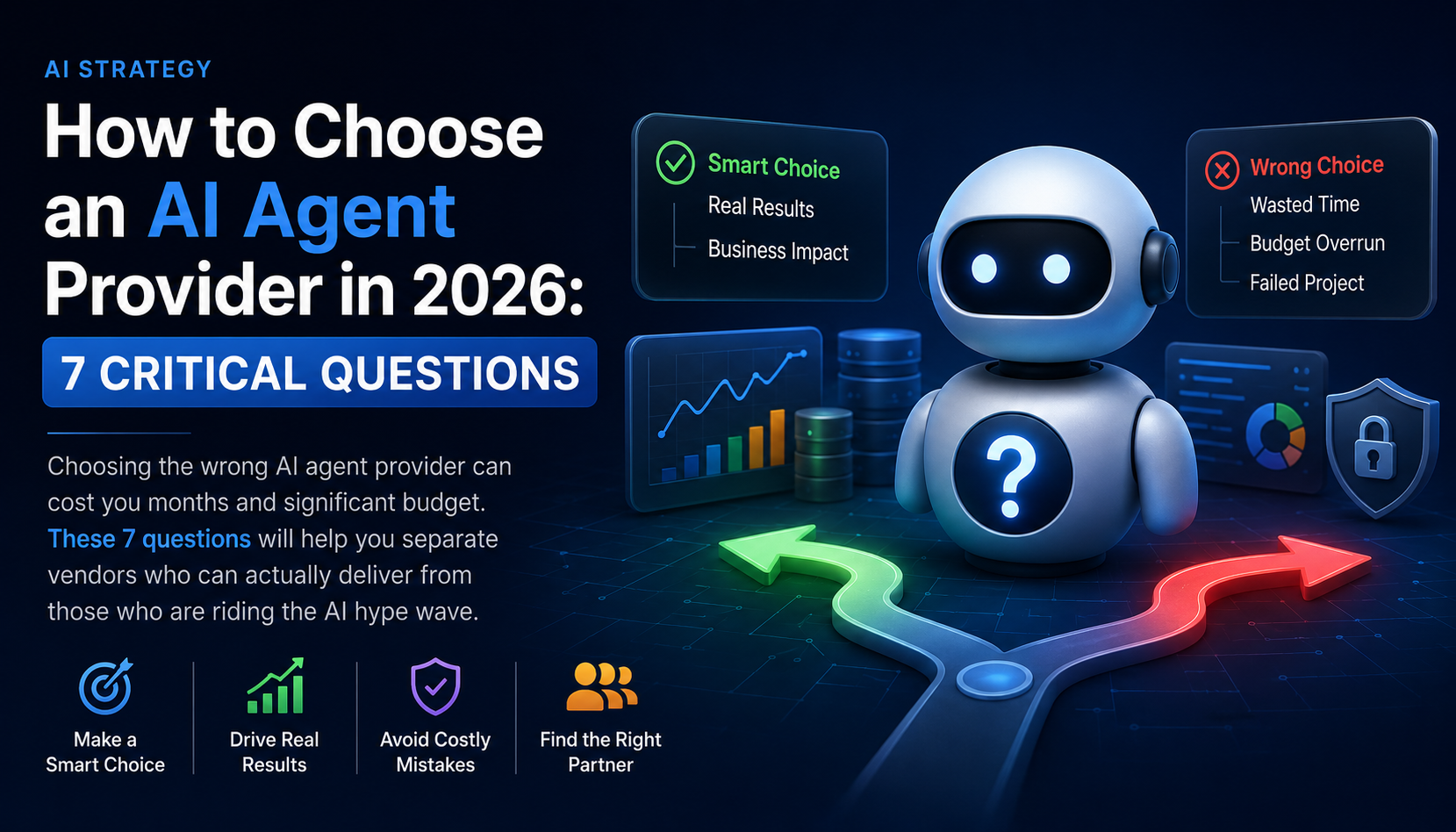
How to Choose an AI Agent Provider: 7 Questions to Ask
The AI agent space is crowded with vendors who will tell you what you want to hear. These seven questions cut through the noise and reveal whether a provider can actually deliver production-grade results.
1. Can you show me a live deployment in my industry?
Not a demo environment. Not a polished showcase. A real production deployment in a business similar to yours, with permission to ask them directly about their experience. If a provider can't give you a reference, they haven't deployed at production scale.
2. What does your escalation design look like?
Any provider who tells you their agent "never needs to escalate" is either lying or hasn't thought through edge cases. A good provider leads with their escalation architecture: what triggers a human handoff, how context is preserved, and what the human review queue looks like.
3. What integrations can you handle in our specific stack?
Your CRM, support platform, ERP, WhatsApp Business API, calendar system. Get specifics. Ask what happens when an integration point isn't supported — do they build it, or do you hit a wall?
4. What does post-launch support look like?
The first two weeks after launch are critical. Agents need tuning based on real interaction data. Ask: who is your point of contact after go-live? What's the SLA for issues? What ongoing optimisation is included vs. extra?
5. How do you handle prompt injection and adversarial inputs?
Customers will try to manipulate your AI agent — intentionally or not. A serious provider has documented guardrail design, input validation, and output review processes. If they look blank at this question, walk away.
6. What's the realistic deployment timeline?
Honest answer: 4–8 weeks for a focused single-workflow deployment. Anyone promising a week is cutting corners on testing. Anyone saying 6 months is either over-engineering or under-resourced.
7. How do you measure success and what do you report?
Automation rate, resolution quality, error rate, escalation rate, response time, and ROI attribution. If a provider can't define how they'll measure whether their agent is working, they're not a serious partner.
For a deeper version of this framework, read our post on How to Choose an AI Agent Provider.
Getting Started: Your First AI Agent
The biggest mistake businesses make is trying to automate too much at once. The right approach is almost always:
- Identify your highest-volume, most repetitive workflow. The one where humans spend the most time on work that is largely the same each time. For most businesses, this is either inbound lead qualification (sales) or first-line support (customer service).
- Map the current process end-to-end. Document what inputs trigger the process, what decisions are made, what actions are taken, and what systems are involved. This becomes the agent's blueprint.
- Define the scope narrowly. Pick the most common 80% of cases to automate first. Leave the complex 20% to humans. You can expand scope after proving results on the core case.
- Audit your data and integrations. Does the agent need access to your CRM? Your order management system? Your calendar? Ensure the data is accessible and clean before you build.
- Deploy with monitoring from day one. Track automation rate, quality scores, and escalation triggers daily for the first two weeks. Tune based on real interaction data.
- Prove ROI, then expand. Once your first agent is running well and you have clear ROI data, identify the next workflow. Repeat.
Take our AI Readiness Assessment — 12 questions, 3 minutes, and you'll get a personalised score and specific recommendations for which workflow to automate first and what infrastructure you need to put in place.
What to Expect: A Realistic Deployment Timeline
ROI is typically visible within 30–60 days of go-live. Full optimisation takes 90 days as the agent accumulates interaction data and edge cases are addressed.
Ready to Deploy Your First AI Agent?
CubixKraft builds production-grade AI agents for sales, support, operations, and voice — deployed in 4–8 weeks, measured from day one. Based in Rajkot, Gujarat, serving businesses across India and globally.
Book a Free Discovery Call →